
Catch up on nanny taxes — see exactly how it works
For families who've been paying their nanny under the table — or who have back wages to file. Three steps. Real screenshots. About five minutes.
Start Free Trial →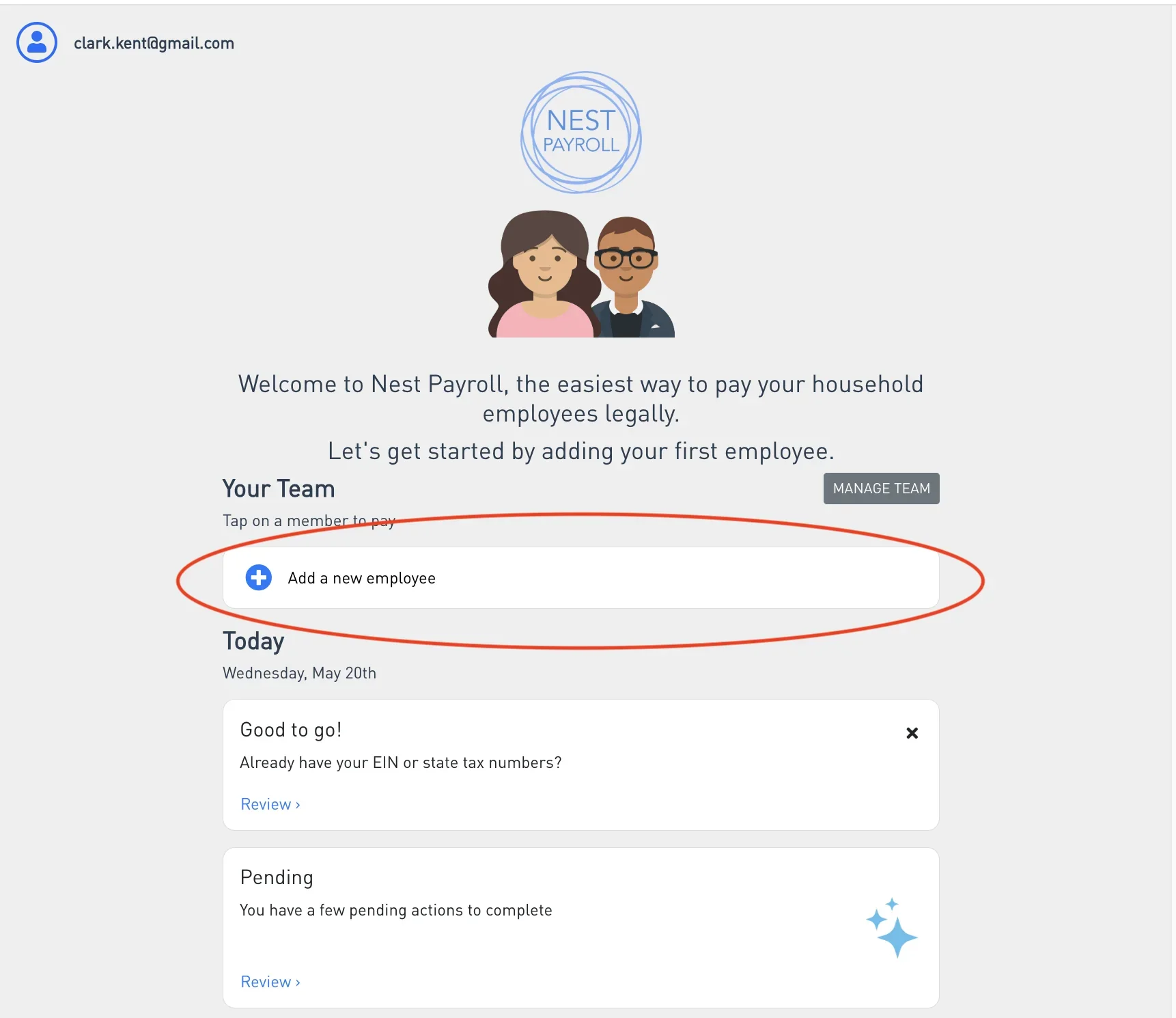
Your dashboard. Everything you need lives here.
Add your employee
From your dashboard, tap the + next to "Your Team." You'll enter your nanny's name, address, contact info, hourly rate, SSN, and filing status — the same details that go on a W-4.
The Start Date is the most important field on this screen.
Enter the date your nanny actually started working — even if that was years ago. Nest uses this date to figure out which quarters you owe taxes for. Be honest. Getting this right is what makes the catch-up math accurate.
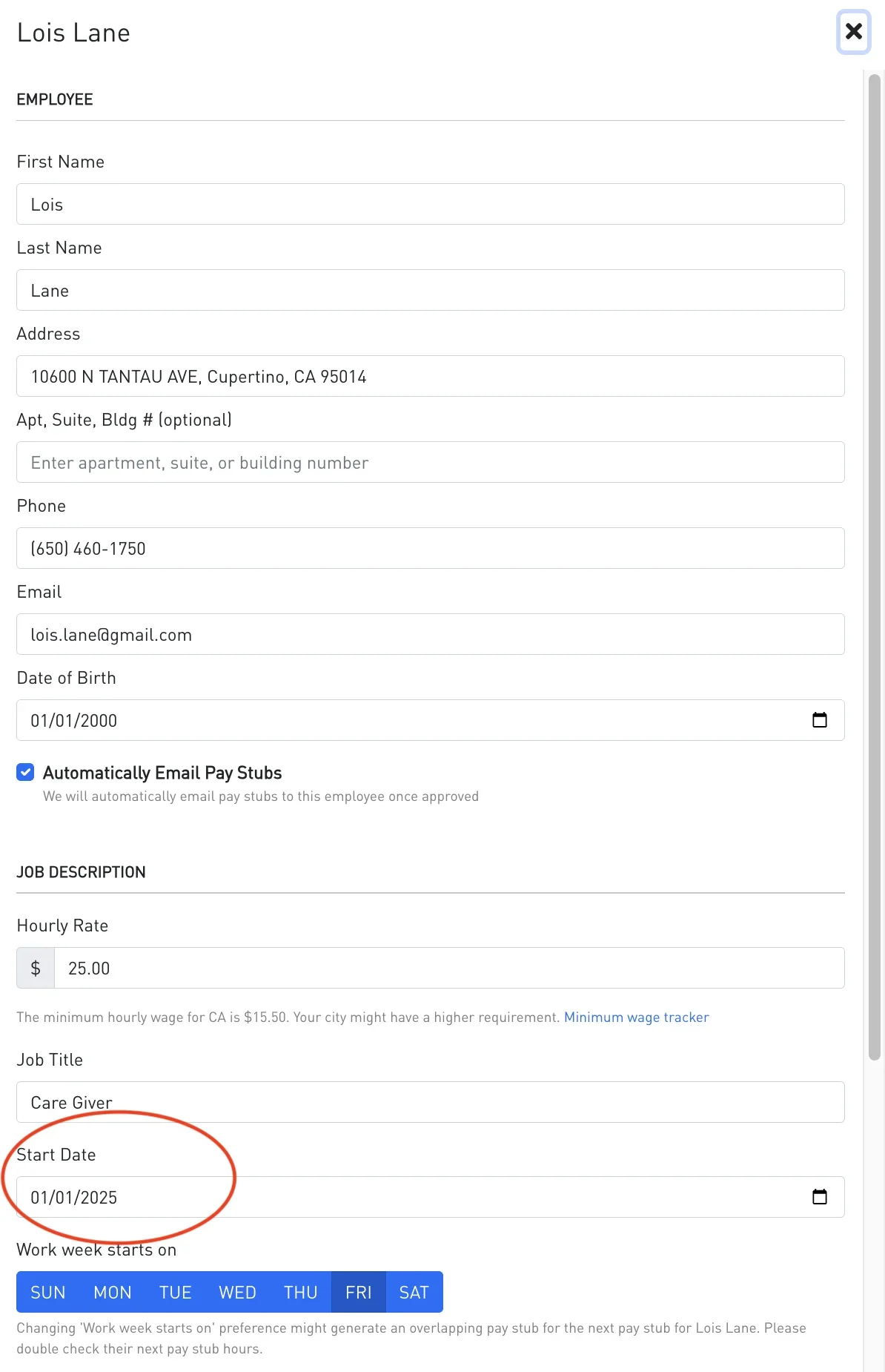
Set Start Date to when you actually began paying. That's the field that drives everything else.
Request Catchup
Tap your new employee from the team list to open their profile. You'll see Request Catchup in the Actions section.
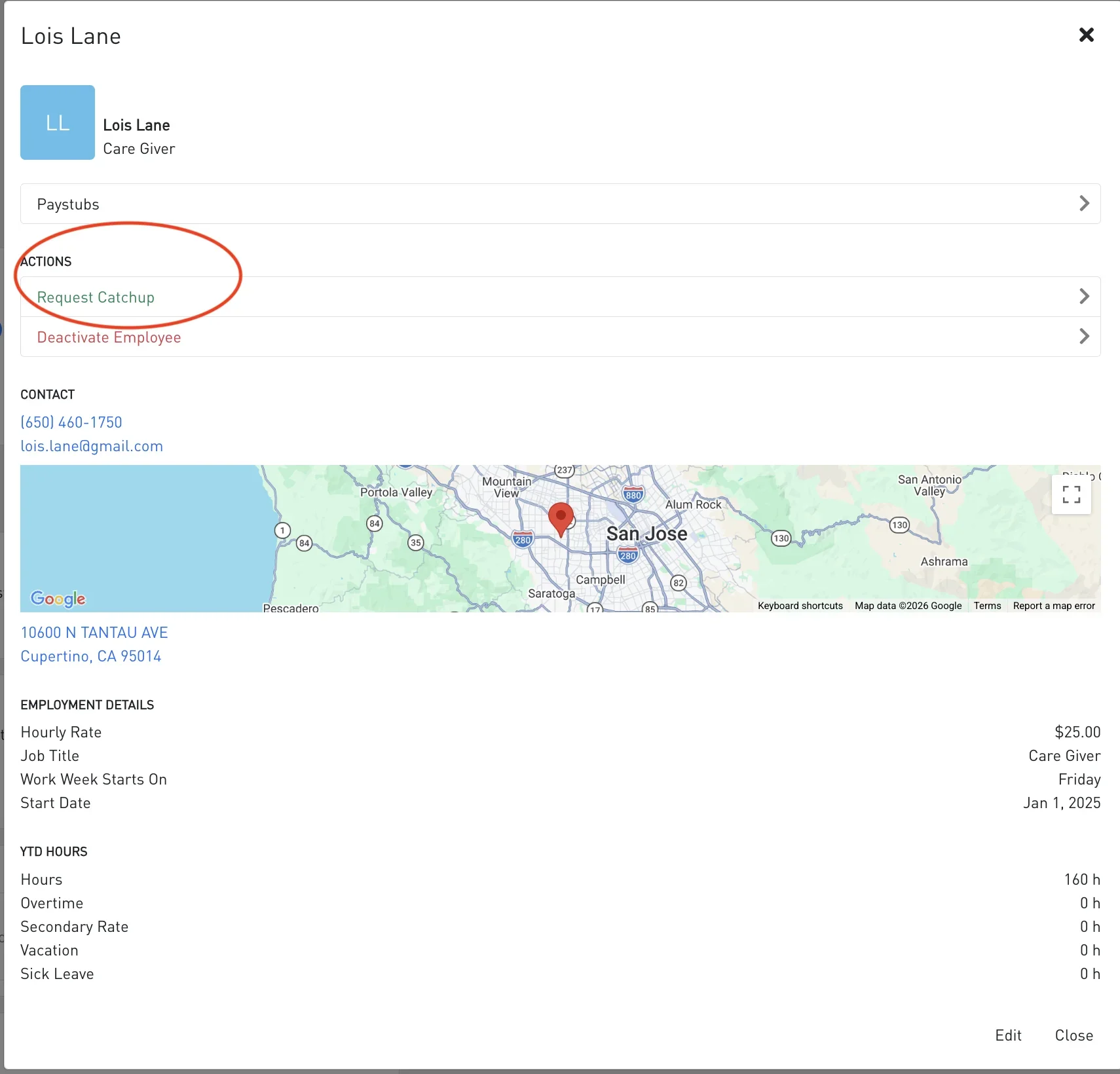
Tap your employee. Request Catchup is right there in Actions.
A confirmation card pops up to make sure you're in the right place. Nest explains exactly who this is for:
"Request catchup for this team member if you paid them under the table previously or have back wages that need to be filed."
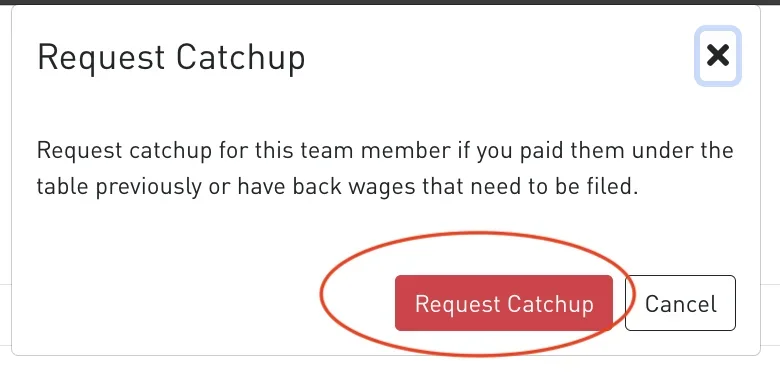
Once you confirm, Nest builds a catch-up form covering every quarter between your start date and today.
Confirm what you paid, quarter by quarter
Open Pending from your dashboard
The catch-up form lives in your Pending list, next to any other action items Nest has flagged. The form is auto-named with the right year range, based on the Start Date you entered earlier.
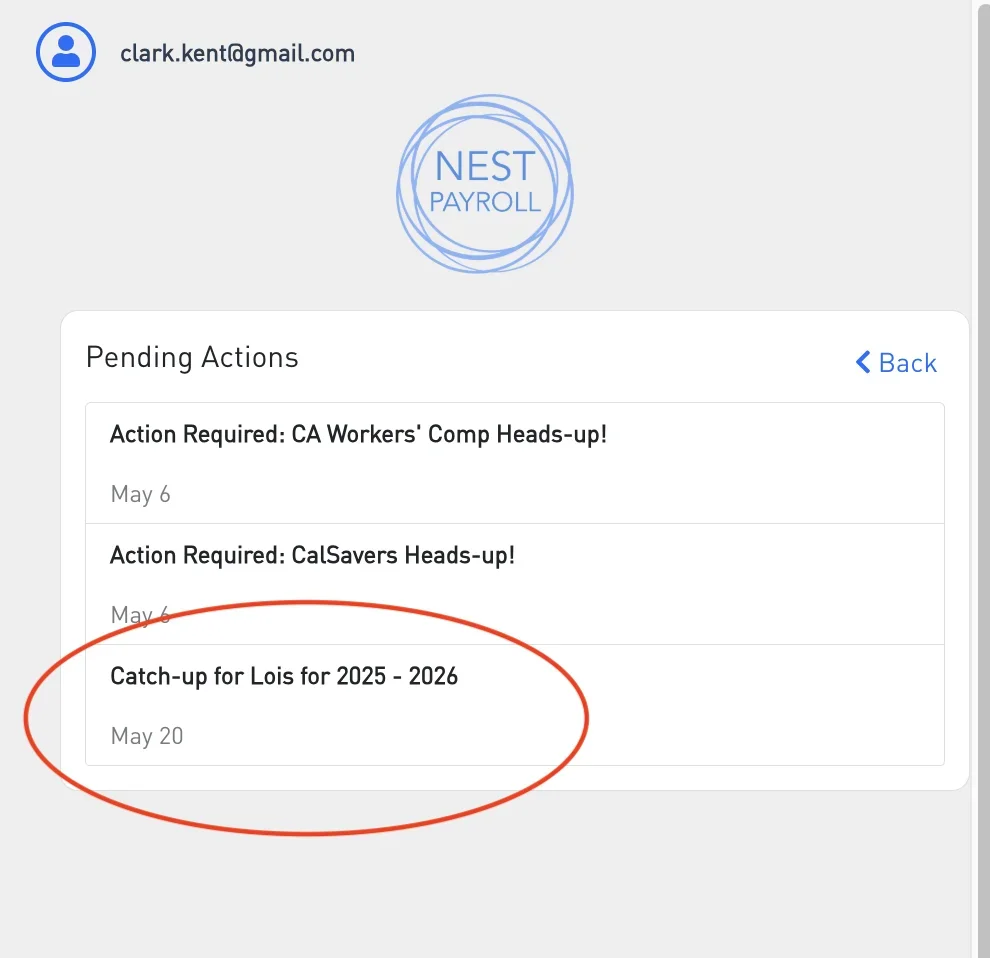
Nest auto-names the form with the years you owe taxes for.
Read the form intro
Open the form and you'll see plain-English instructions for filling it out, plus a reminder about how catch-up taxes work:
"Please enter the hours worked and wages paid to [name], for each quarter prior to using Nest Payroll. If no wages were paid in a given quarter, enter zero."
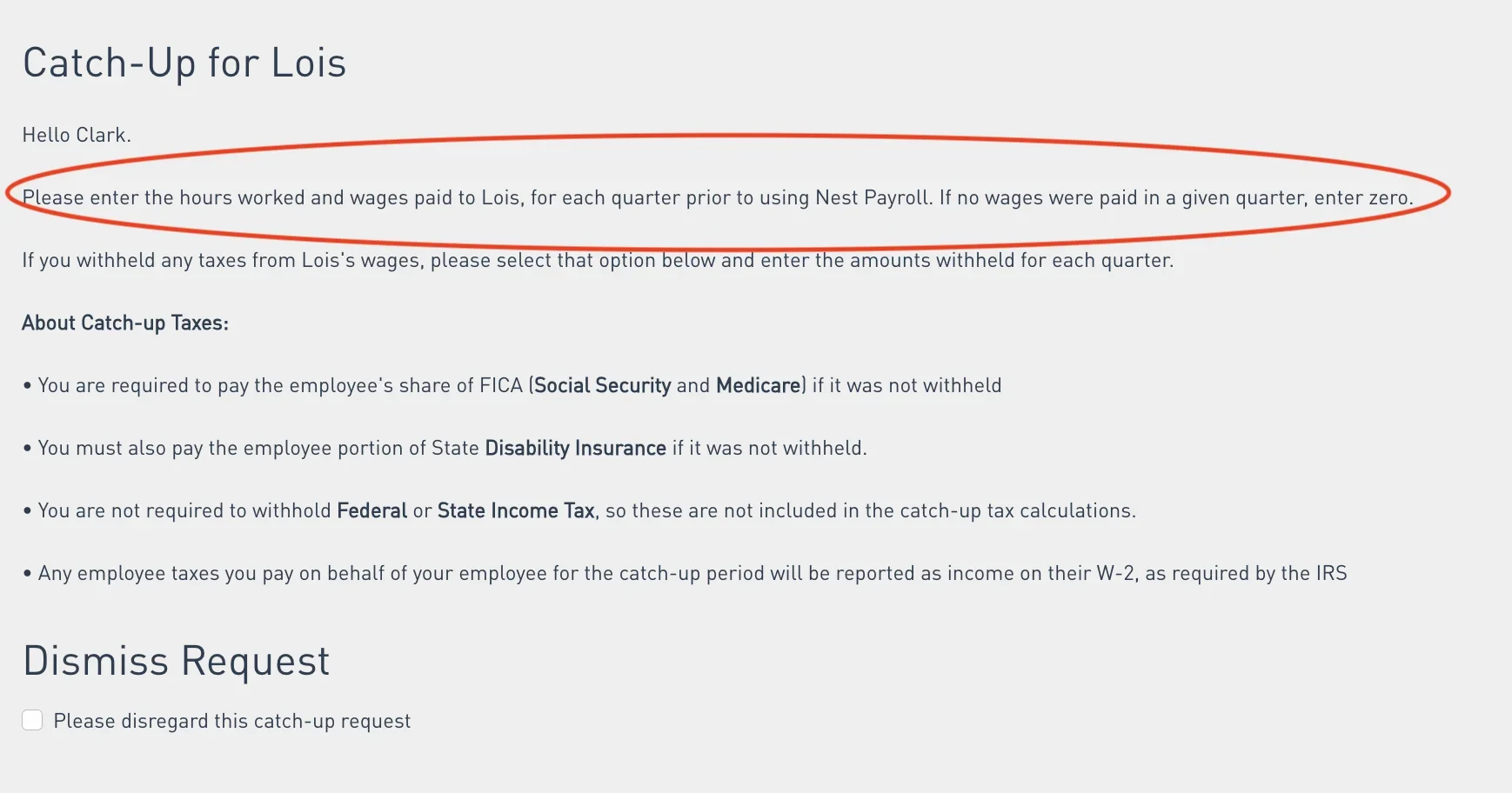
One form per employee. No spreadsheets, no separate filings.
Fill in wages and hours, quarter by quarter
For each quarter from your start date through today, fill in:
- Wages Paid — the total dollars you handed your nanny that quarter, before any deductions.
- Regular Hours — your best estimate is fine if you didn't track exactly.
Already withholding? Each year has its own toggle.
Above each year's quarters, you'll see a "I withheld taxes from [name]'s wages in [year]" checkbox. Check it for any year where you collected Social Security, Medicare, or income tax from your nanny's paychecks — that opens fields to record what you already took out, so Nest doesn't double-count. The toggle is per year, so you can check 2025 but not 2026 (or vice versa). Most catch-up families haven't been withholding — if that's you, leave them unchecked.
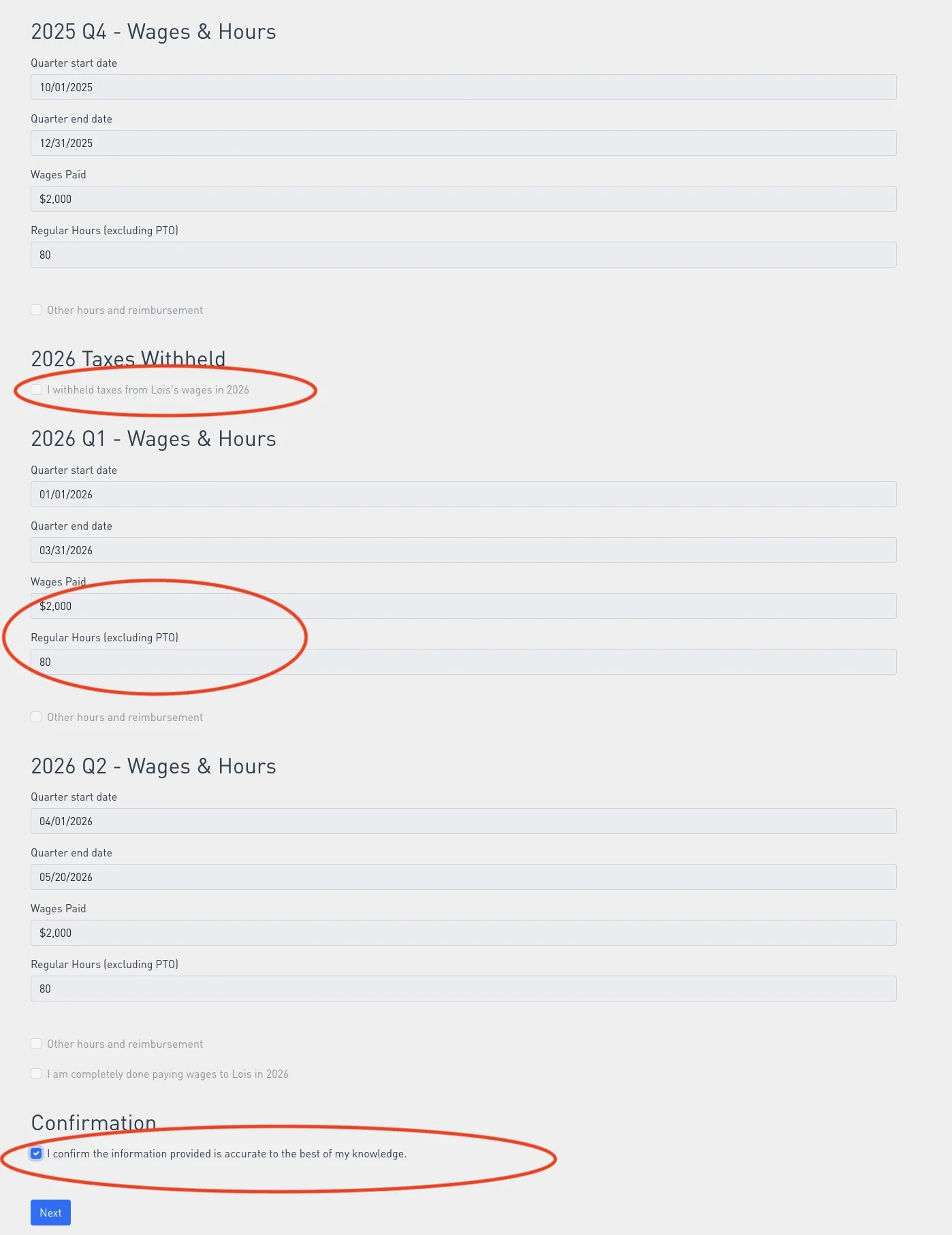
Two numbers per quarter. The math happens on the next screen.
Review the total, then authorize
Tap Next and you'll see the full picture before committing — total taxes owed (employer-side, plus the employee-side taxes you didn't withhold), plus the catch-up service fees. The exact total is right there. No surprises.
Pick Authorize catch-up from the dropdown, check "I confirm I have read, understand and agree to the above," and tap Done. That's the last thing you do — Nest takes it from here.
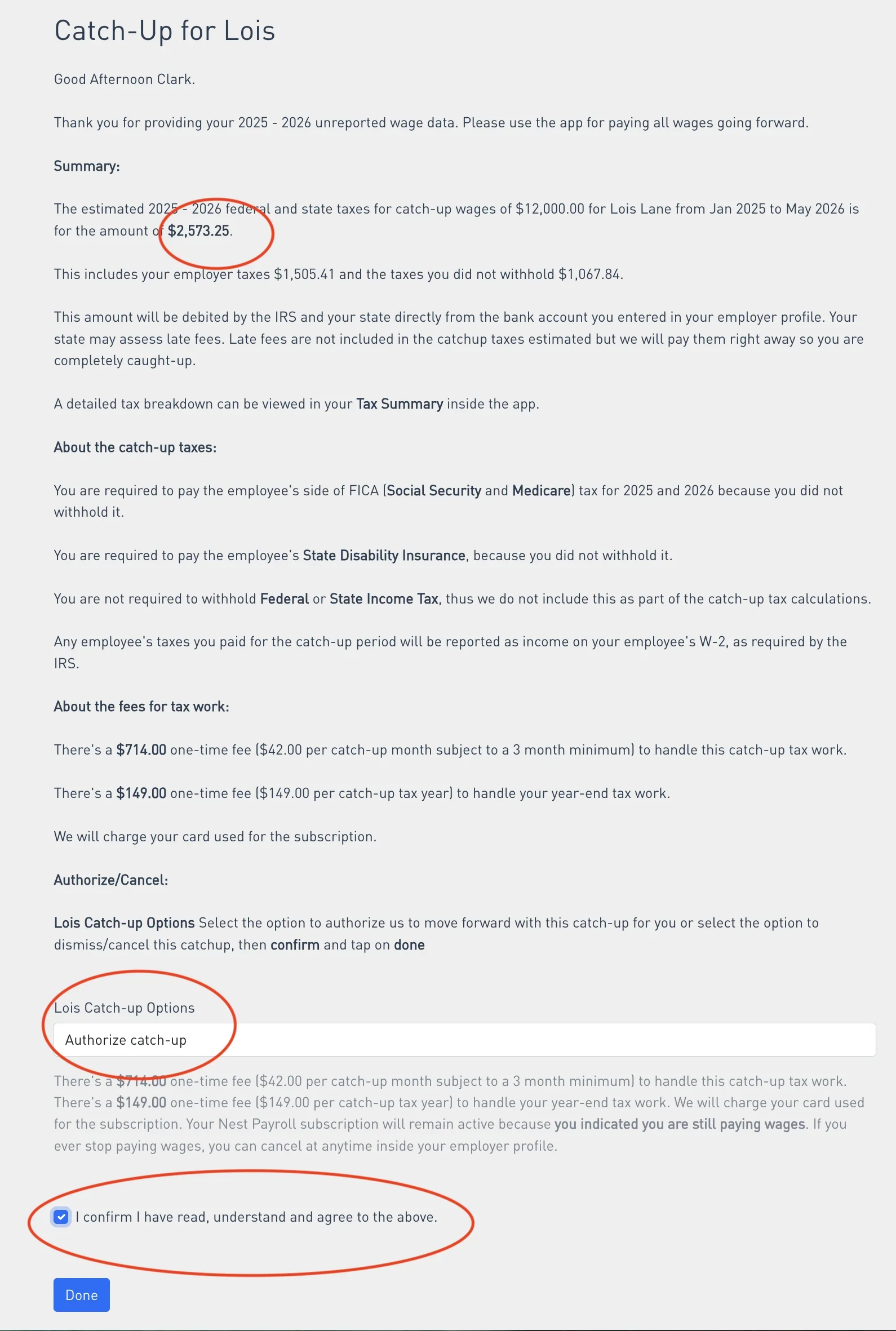
Full cost breakdown — taxes plus fees — before you commit.
What happens next
What success looks like
Once you're caught up, every back quarter shows up as a real paystub. Your tax summary reflects what you owe, and you can stop worrying about a letter from the IRS.
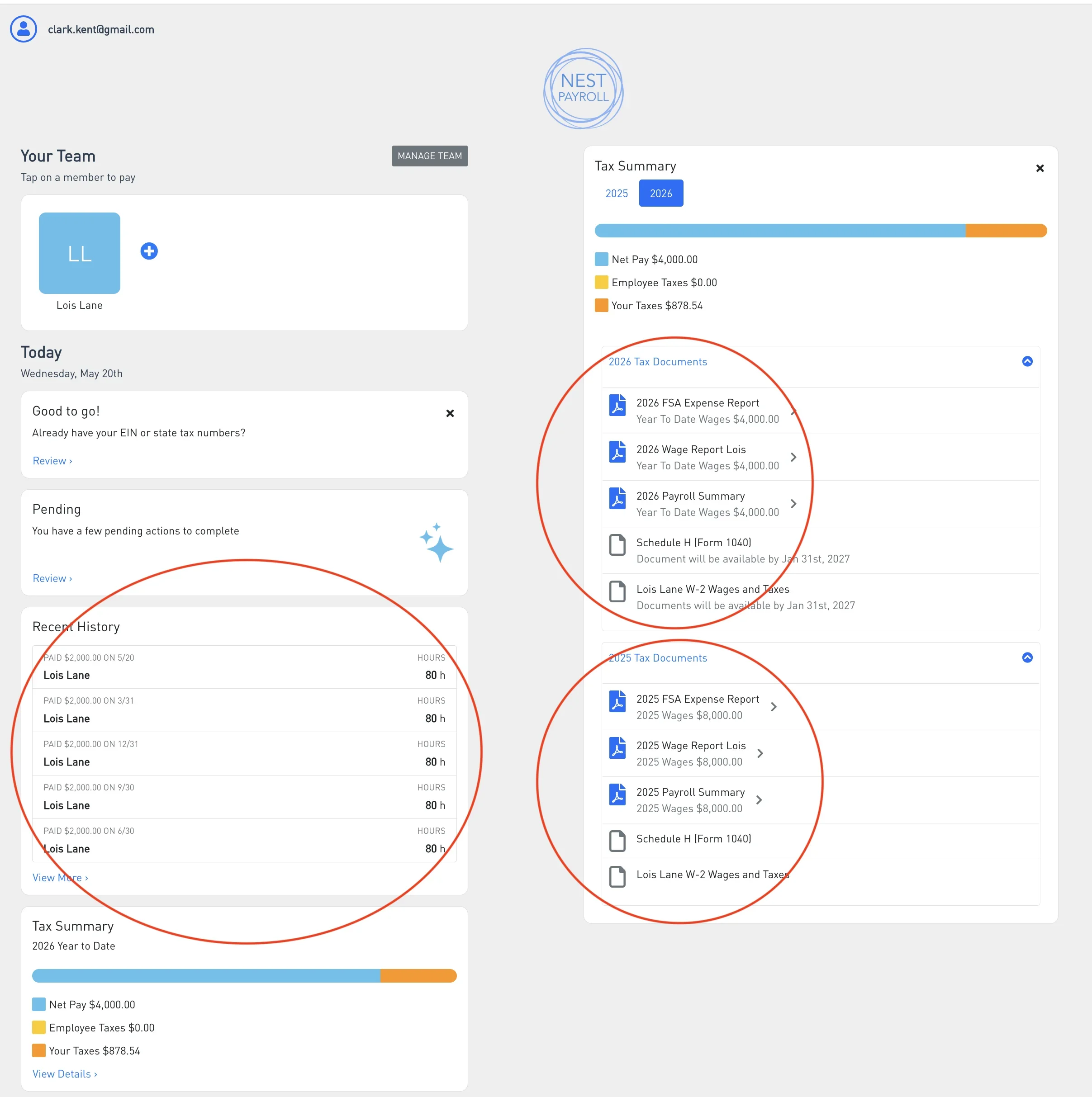
Every back quarter, accounted for. Going forward, fully automatic.
Pricing for catch-up
If you're using Nest Payroll for catch-up, here's exactly what you pay:
- Catch-up wages — $42/month per employee From your employee's correct start date (3-month minimum). Example: a 10-month catch-up is $420.
- Year-end tax work — $149 per employee per prior year Covers W-2, W-3, and Schedule H for each prior tax year you're catching up. Example: catching up 2024 and 2025 is $298 in year-end fees.
- Current year — no additional year-end fee If you continue on a regular subscription, year-end W-2s and Schedule H are included.
- Ongoing payroll — from $42/month Once you're caught up, you continue on a standard plan for regular payroll going forward.
Ready to get compliant? We handle the rest.
Start your 14-day free trial — no payment due until you decide to keep going.
Start Free Trial14-day free trial · From $42/mo · Cancel anytime
Want to see what you'll owe first? Try the catch-up calculator →